Connect over NDI
Bring NDI video into CoreMCR through NDI Webcam Input or Virtual Input, then publish Program, Preview, multiview or an individual input as an NDI source on your LAN. Pro and Max; NDI Runtime required.
CoreMCR replaces a rack of hardware and a stack of apps with a single Windows program: switch, mix, title, stream and record a broadcast-grade show from one screen.
Bring network video into your production, then send your finished picture to the people and systems that need it—from a local studio LAN to a remote contribution link.
Bring NDI video into CoreMCR through NDI Webcam Input or Virtual Input, then publish Program, Preview, multiview or an individual input as an NDI source on your LAN. Pro and Max; NDI Runtime required.
Choose Caller or Listener for incoming and outgoing feeds. Configure latency and stream ID, with optional passphrase encryption for contribution links. SRT in/out is available in every edition.
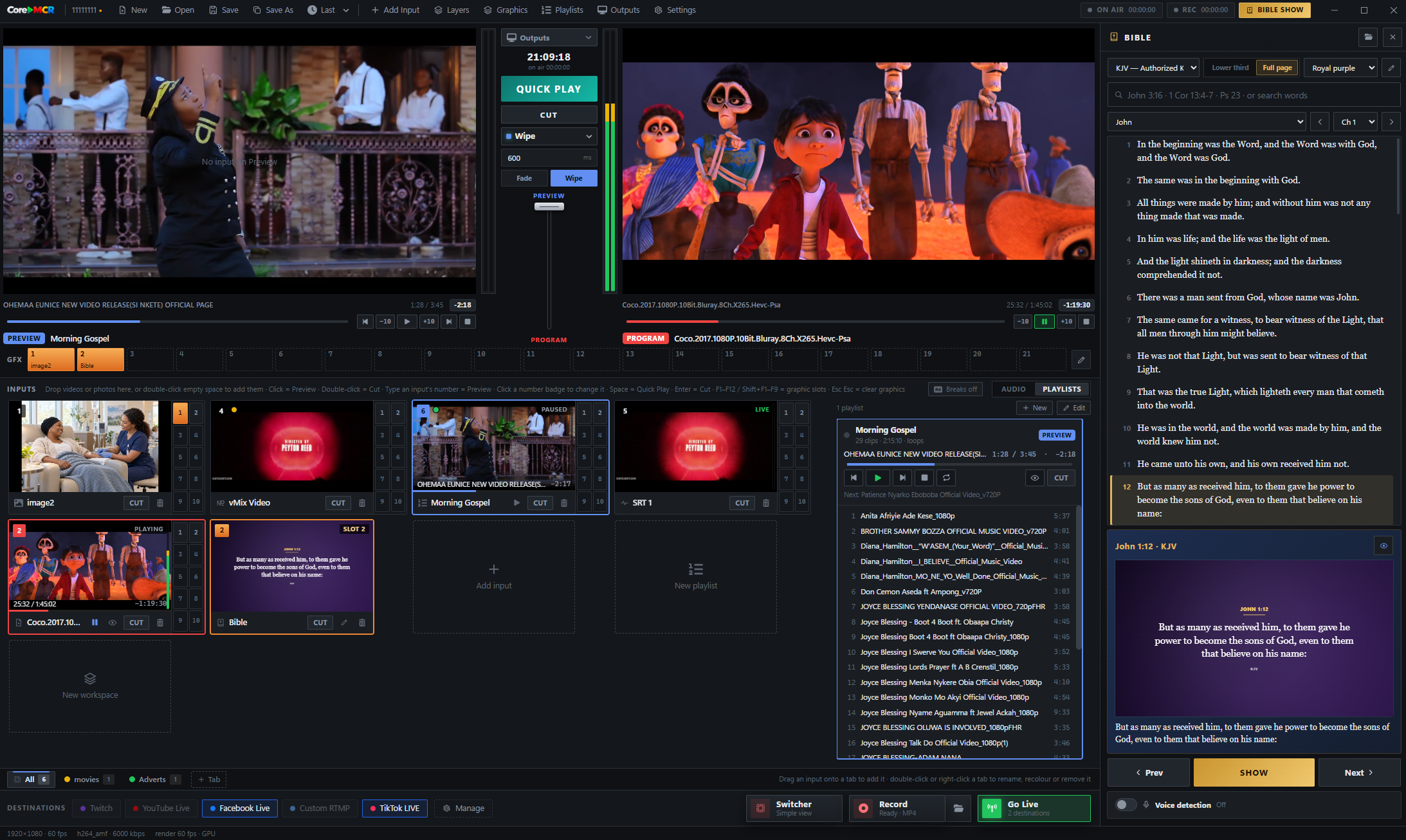
Stage the next shot in Preview, keep Program on air, and take it with a Cut or a transition. Switch cameras, capture cards, screens, media files, network streams and NDI virtual inputs in real time.
The input strip shows a live thumbnail of each source so you always know what you're cutting to. The built-in mixer gives every input its own fader and meters, with audio-follows-video to track whatever's on Program.
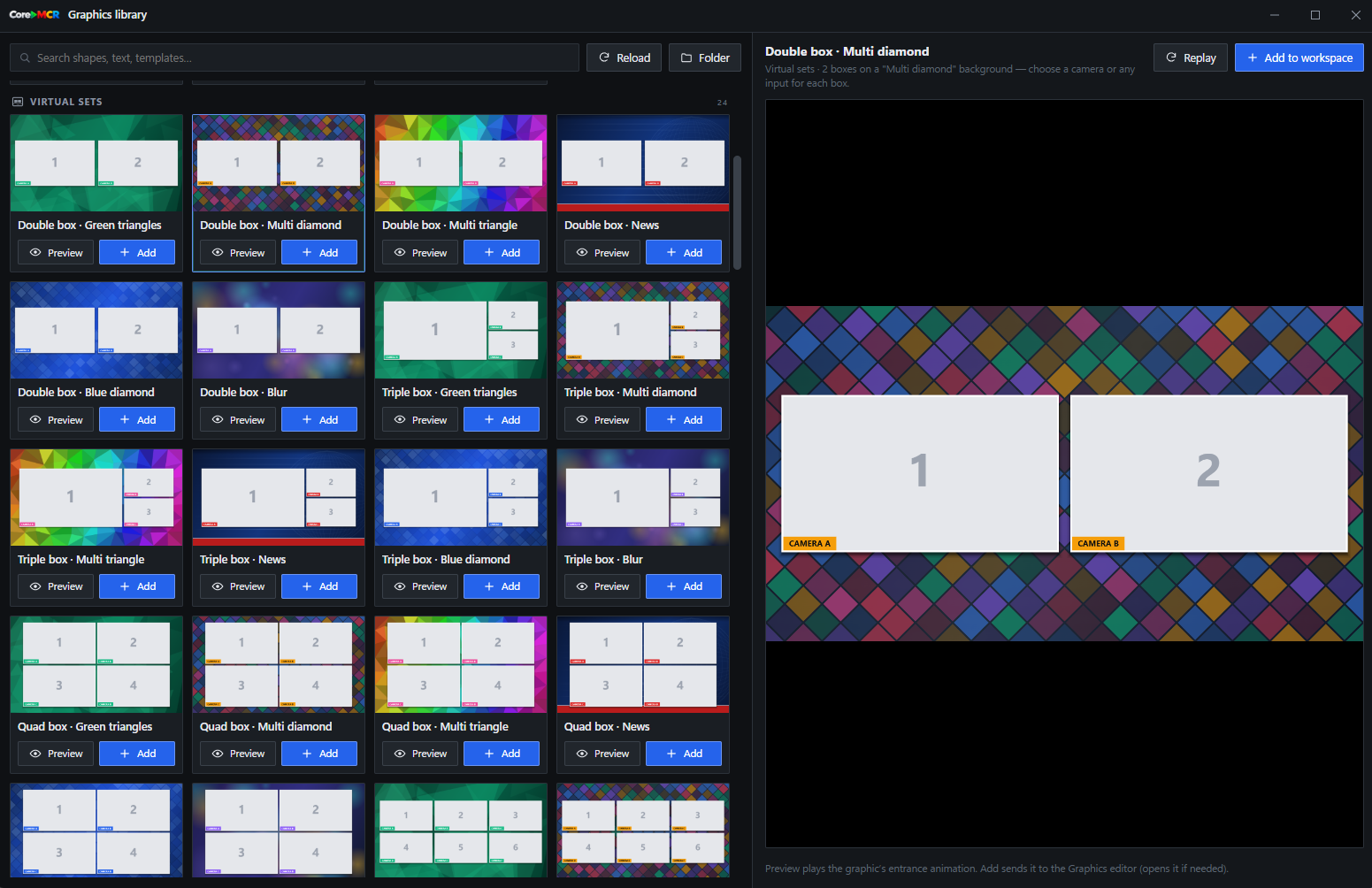
Browse virtual sets and multi-camera layouts in the built-in library. Preview a design, add it to a workspace, and assign a camera or other input to each box. Build coordinated scenes without starting from a blank canvas.
Stream the same Program feed to YouTube, Facebook, Twitch, Kick and your own endpoints at the same time, each at its own bitrate. Record a clean local copy in MKV, MP4, MOV or TS independently — Max adds replay and multi-recording.
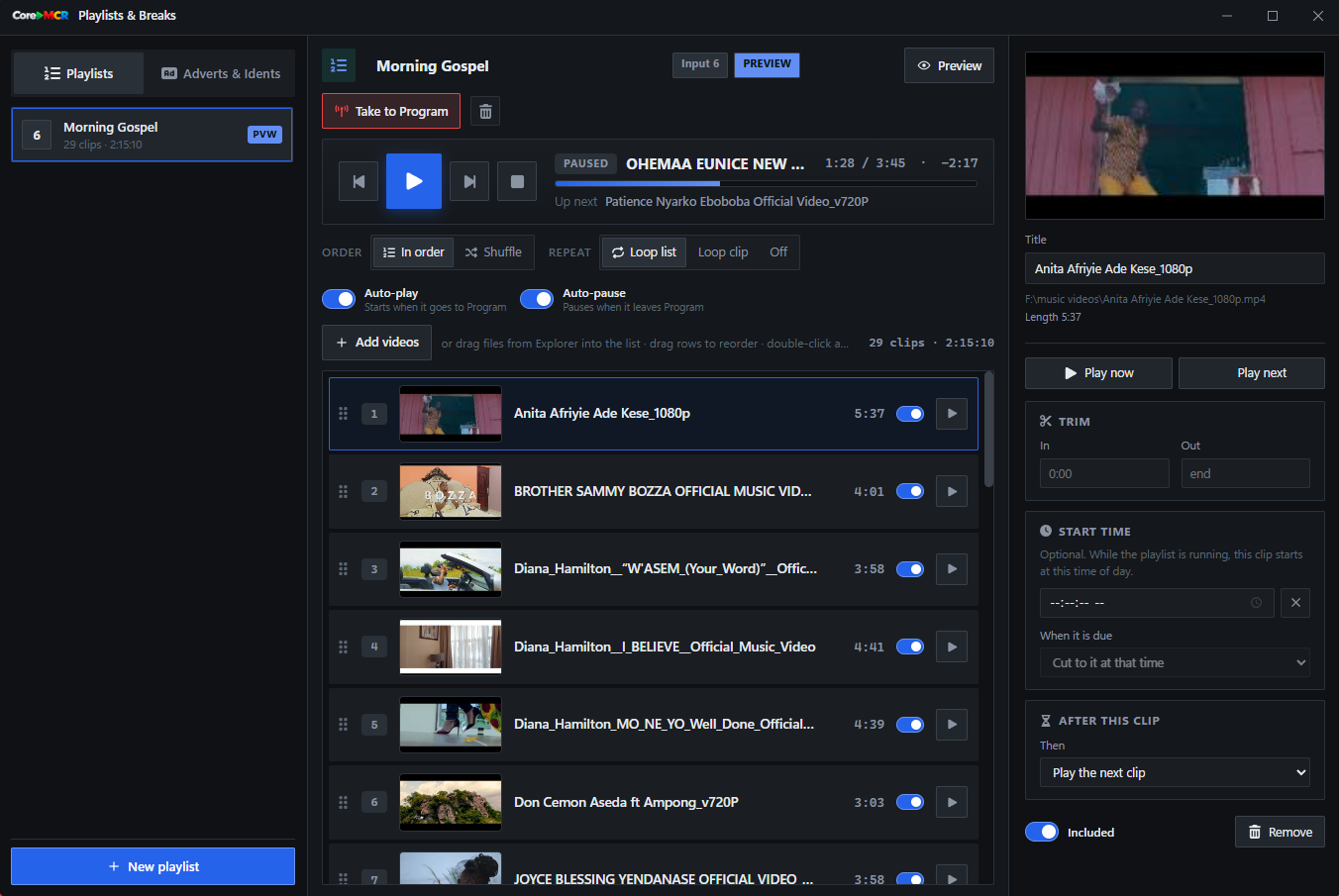
Build a playlist, arrange clips by drag and drop, and set playback to autoplay, pause between items or loop. Schedule a clip to start at a chosen time of day, or cue it manually while the show is running.
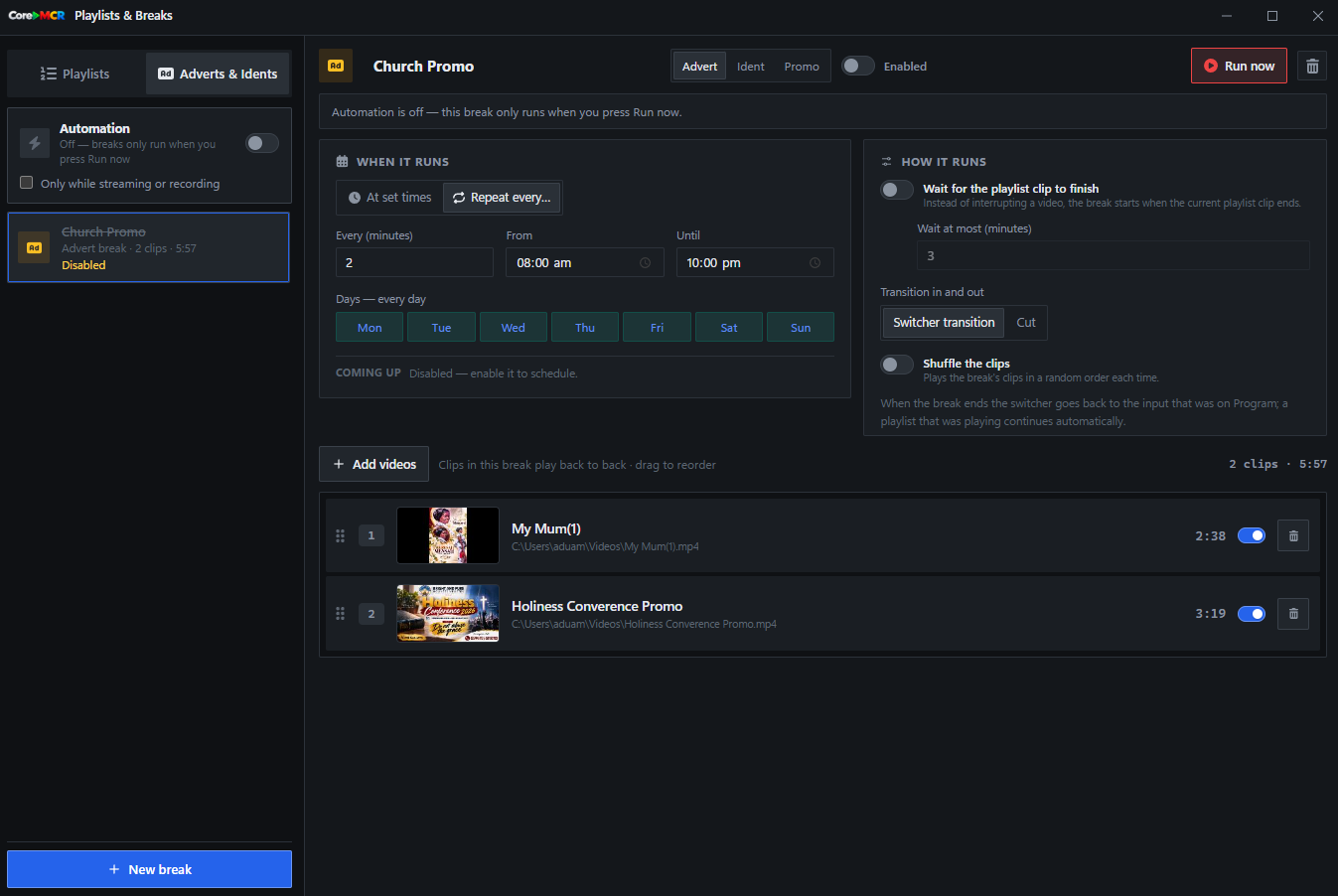
Prepare an advert or ident break and choose when it runs: at set times, on a repeating interval, or with Run now. Set the break to wait for the current playlist clip, play its clips in order, then return to the input that was live before the break.
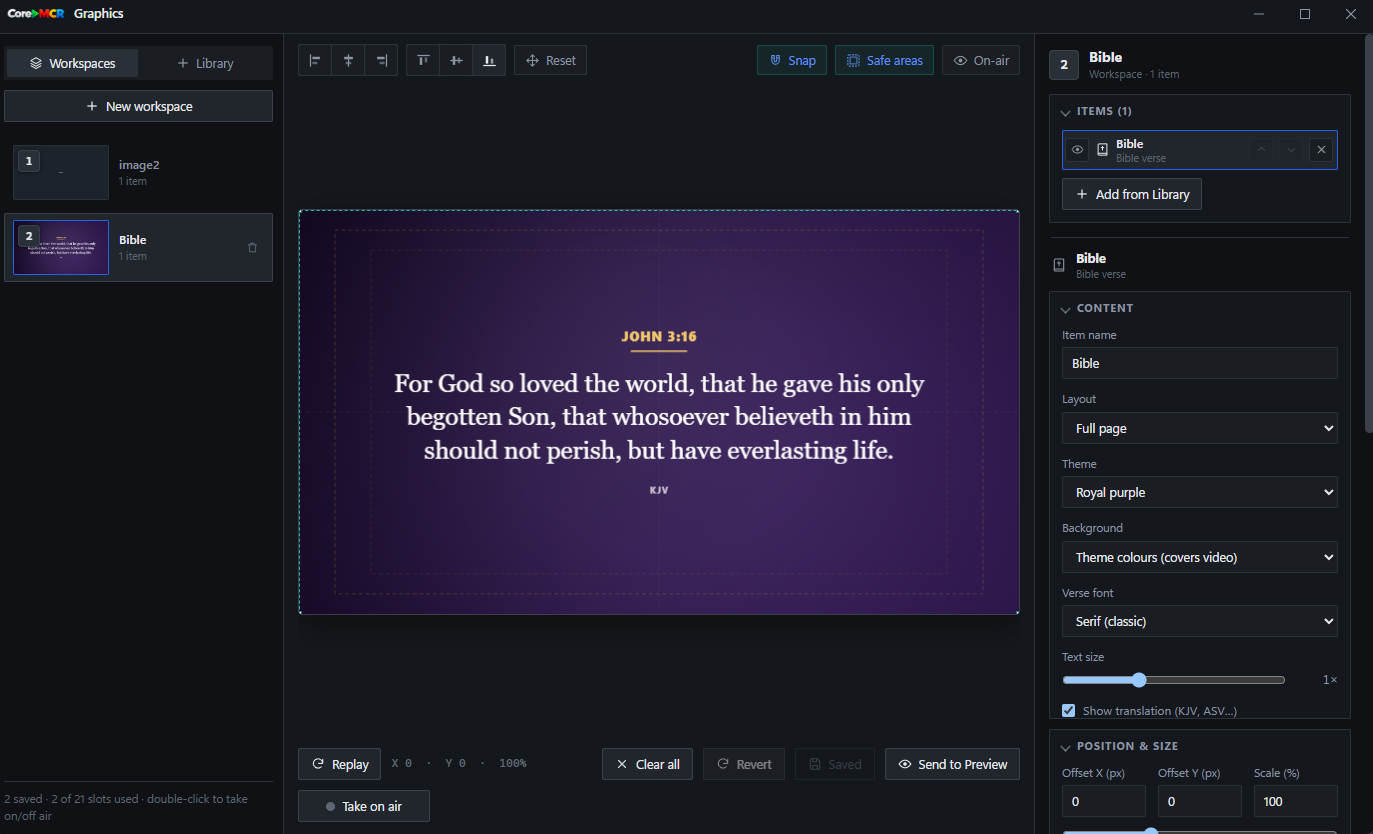
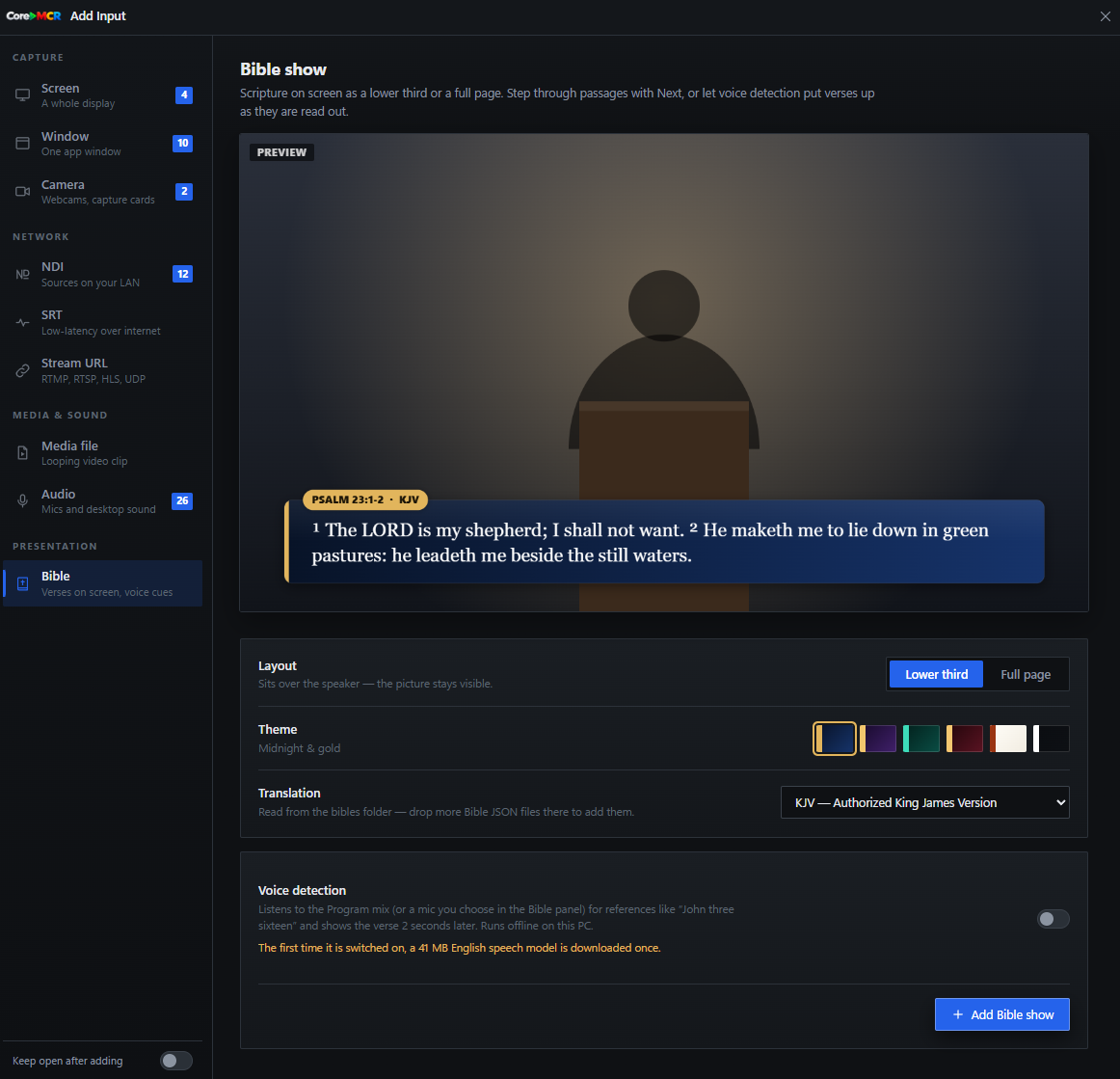
Search a passage, choose a translation and set the verse as a lower third or full page. Save themed scripture workspaces, send a verse to Preview, then take it live. Optional offline voice detection can follow spoken references and cue the next passage hands-free.


Scan a QR code and your phone or tablet becomes a remote switcher on the same network — cut sources, trigger graphics and watch Program from the front row or the back of the hall. No app store download required.